Keep the conversation.
Pair using your computer’s connection code. Send a message or supported attachment and follow the task as it progresses.
Your everyday AI concierge
Cloud AI for your day. Local AI when you choose. Turn a question into a plan, an idea into a video, and your phone into a window to your computer.
Office connections require the upcoming app update and compatible computer software.
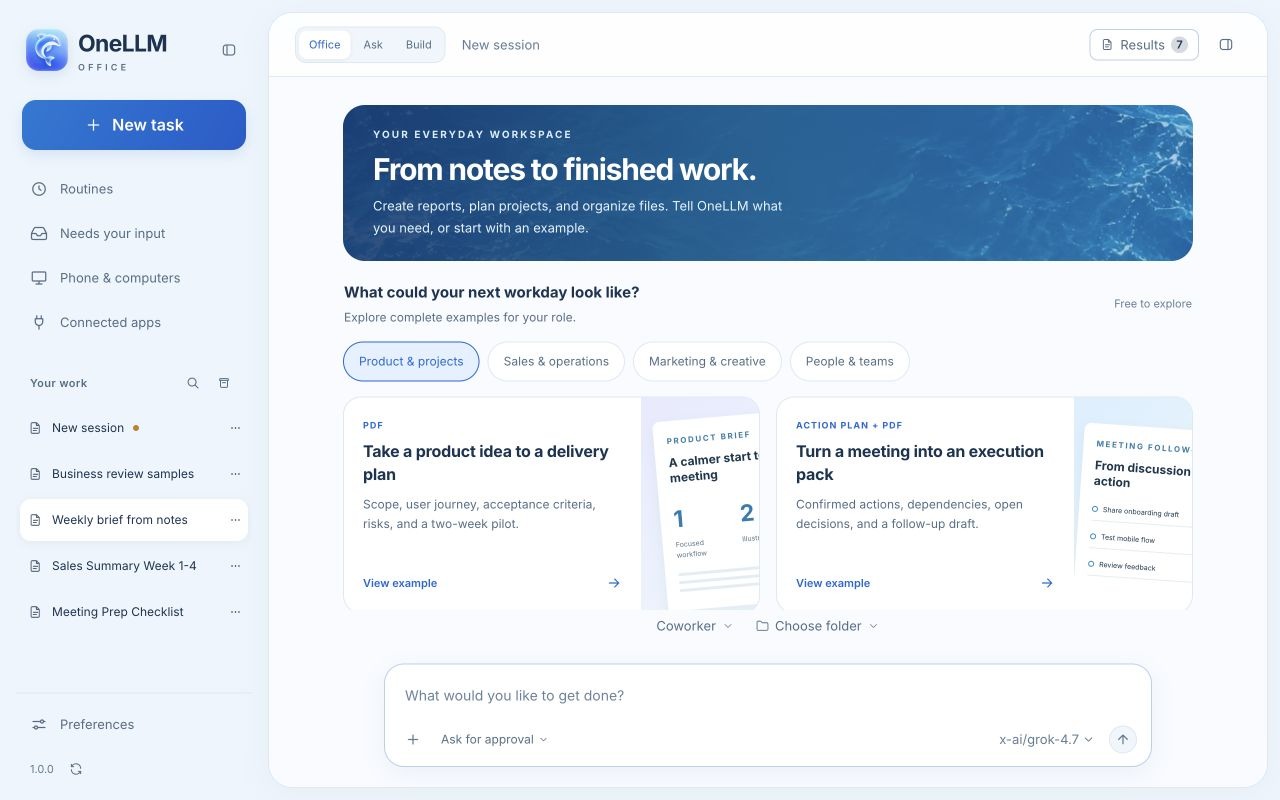

OneLLM Office on a connected computer. A separate installation is required.
Pick up where you left off
Continue an Office task from your phone. Follow the work, review the next step and take the finished files with you.
Pair using your computer’s connection code. Send a message or supported attachment and follow the task as it progresses.
Choose an available local or online model configured on your computer. Refresh the list when your setup changes.
Respond to approval requests and open task files from a separate Files panel. Your computer controls execution and permissions.
Your computer must stay running and reachable. Use a trusted network or supported secure connection. Separate setup and service accounts may be required.
Get OneLLM Office for your computer ↗Your agents, closer
Connect to your own OpenCode service. Continue sessions, work with files and review requested permissions from your phone.
Connect to a compatible Harness service. Follow supported conversations, attachments and agent activity as work continues.
Each service uses its matching module and connection code. Zyvn is an independent app, not an official OpenCode or DeepSeek product.
A choice that stays yours
Download a compatible model for offline inference, from compact everyday choices to the optional 35B MoE package on supported hardware.
Use your Zyvn plan for managed online conversations and tools. Check your included usage before creating. Online requests share the content needed to complete the task.
Ask about a PDF, translate a message, summarize a web page, create an image or bring a scene to life as a short AI video.
Local models require a download, storage and compatible hardware. Speed varies. Connected services require internet access, including with local AI. Online provider fees and third-party subscriptions may apply. Review important AI results.
Your next step
Your everyday assistant, with more ways to help.